Stock Screener - Stock Screens
- 4.3
- Rating
- 10.00K
- Installs
- Free
- Price

 Analysis by App-foxy
I approached Stock Screener - Stock Screens as a practical finance app rather than a replacement for a full brokerage account. Its purpose is to help me narrow a large market into a more manageable watchlist, review trading signals, and use AI-assisted ideas as a starting point for research. That distinction matters: the app can support a repeatable decision process, but it does not remove the need to understand a company, check current information, or decide how much risk I can accept.
The app is free to install and is suitable for Everyone, which makes it easy to try without committing money at the beginning. It comes from Stock Screener APP, has a 4.3 average from around 200 ratings, and has passed 10K+ installs. Those figures suggest a small but established user base rather than a mainstream investing platform. I see that as a reason to test the workflow carefully instead of assuming it offers the depth of a large financial terminal.
How I use the app as a daily stock-finding workflow
My preferred starting point is simple: I decide what kind of company or market situation I am looking for before opening the screener. For example, I might want financially stronger companies, stocks showing momentum, or candidates that deserve deeper reading after a price move. Beginning with a question prevents the screen from becoming a random hunt for attractive-looking numbers.
You May Also Like

 AccuWeather: Weather Radar
AccuWeather Review: A Quick, Clear Forecast for Everyday Decisions
For everyday plans, the best forecast is the one you can understand quickly. AccuWeather makes rain timing, radar, and local conditions easy to act on, with a few trade-offs.

 Hill Climb Racing
Why Hill Climb Racing Still Turns Crashes Into One More Run
A tiny car, a bumpy hill and one more upgrade: Hill Climb Racing keeps resurfacing because its simple chaos makes every near-miss feel personal.

 AliExpress - Shopping App
AliExpress Makes Global Shopping Feel Personal, but Shoppers Bear the Risk
AliExpress turns a global marketplace into a pocket-sized discovery engine. Its reach is useful, its shopping loop compelling, and its trade-offs easy to miss.

 Lords Mobile: Kingdom Wars
Lords Mobile Is a Kingdom-Building Routine, Not a Quick Match
A case-by-case verdict on the building, battles, device demands, and social commitments that make Lords Mobile rewarding for some players and exhausting for others.

 PDF Scanner app - TapScanner
TapScanner Makes Paperwork Easier to Capture, Check, and Share
TapScanner makes scanning with a phone feel less like a rescue operation and more like a dependable step in getting work done. Its capture tools are useful, though not flawless.

 Block Blast!
 Shows How Much a Puzzle Game Can Leave Out
A quiet grid game shows why puzzle players increasingly value instant clarity, repeatable skill and low-pressure play—and where the genre still needs to catch up.
More From Our News Desk
View All News


Once I have that question, I use the available screening choices to reduce the field. The useful habit is to begin with a broad filter and then narrow gradually. Adding every possible condition at once can create a list that looks precise but is too small to be useful. A practical screen should leave me with enough candidates to compare, not just one result that appears to confirm my first idea.
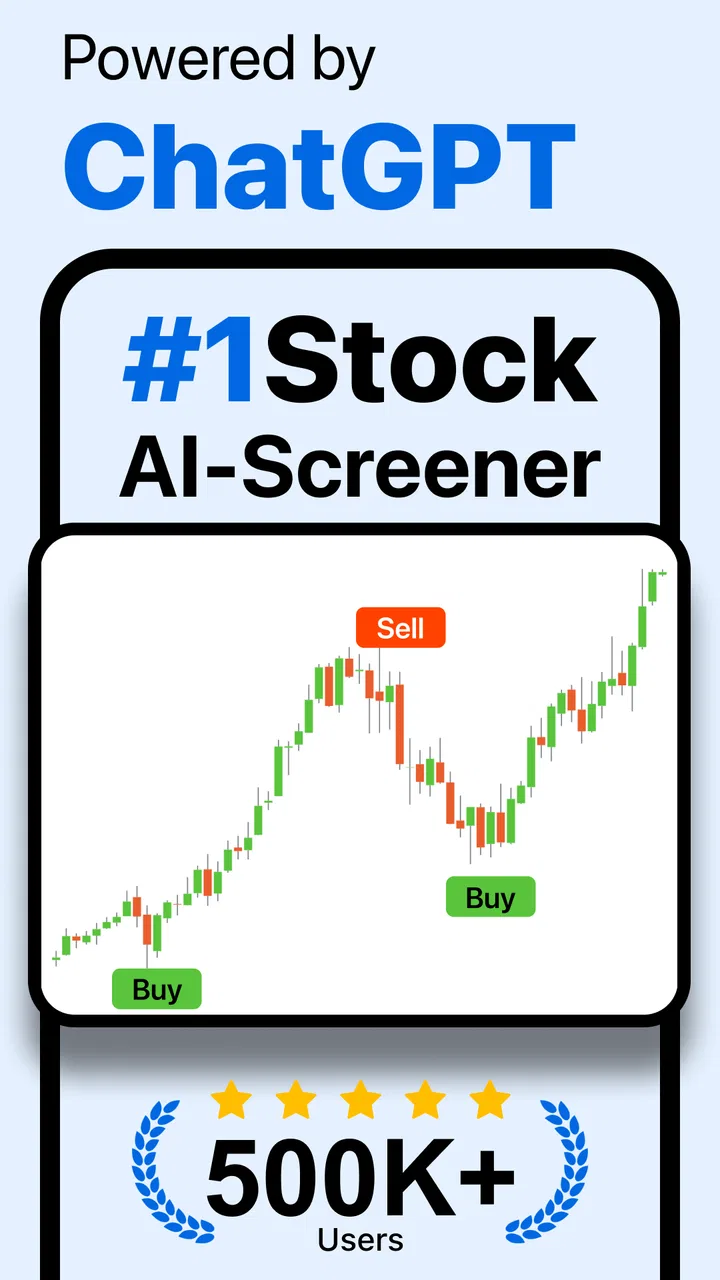
I then treat the results as a research queue. I do not read a signal as an instruction to buy. Instead, I check whether the result fits my time horizon, whether the underlying business makes sense, and whether the price move is connected to something I understand. The AI-powered element is most helpful at this stage as a way to generate leads or organize attention. The app is a filter for decisions, not the decision itself.
A realistic everyday example would be a weekend review. I could open the app, run a screen for the type of stocks I normally follow, and note which names repeatedly appear. On Monday, rather than reacting to every market headline, I would already have a short list to investigate. That routine is more valuable than running a new screen every few minutes, because it separates preparation from emotional trading.
For a beginner, this workflow also answers an important question: can the app be used without advanced market knowledge? Yes, as a learning aid, but only if the user is willing to look up unfamiliar terms and understand why a filter matters. A list of results can feel authoritative even when the chosen conditions are poorly designed. I would start with one or two understandable criteria, compare the output with companies I already know, and only then experiment with more specialized combinations.
What I check before trusting a result
I pay attention to whether a stock appears because of a durable characteristic or because of a temporary market event. A screen can identify movement, but movement alone does not explain the cause. If a company appears after a sharp rise, I want to know whether the move reflects earnings, guidance, sector news, or simply short-term enthusiasm. The app helps me find the name; other research helps me understand it.
I also compare the result with my own watchlist instead of treating the screen as a complete market universe. This is a useful trade-off. A dedicated screener can be faster than manually browsing financial news, but a personal watchlist contains context that a fresh search may not. Combining both gives me fewer surprises and makes it easier to recognize when the screen is producing a familiar pattern.
Another good habit is recording why I added a stock. I can write a short note outside the app, such as “review after next earnings update” or “watch only while momentum remains strong.” This prevents the original reason from disappearing after a few days. It also exposes weak ideas: if I cannot explain why a result matters in one sentence, it probably does not deserve much attention yet.
Settings and habits that make screening more useful
The most important settings are the ones that define the question behind the screen. I would check the available market, sector, valuation, growth, and price-related choices slowly rather than accepting every default. The exact combination changes the character of the results. A screen focused on recent movement behaves very differently from one focused on business quality or valuation, even when both are used to find “stocks to buy.”
I recommend testing one condition at a time. Run a broad search, observe the type of companies it returns, then add another condition and see what disappears. This gives me a better feel for the filter than simply building a complicated setup from memory. It also reveals when a condition is doing too much work. If adding one setting removes nearly everything, I ask whether the market is genuinely narrow or whether the threshold is unrealistic.
AI assistance deserves the same careful treatment. I see it as useful for surfacing possibilities, especially when I am unsure where to begin, but I would not use an AI-generated suggestion as evidence. A sensible workflow is to ask what the idea is pointing toward, then verify the company through financial statements, recent announcements, and the risks specific to its industry. Use AI to widen your questions, not to outsource your judgement.
There is also a cost question. The app is free to download, but in-app purchases range from $29.99 to $299.99 per item. That makes it especially important to understand what is available before considering any paid option. I would first use the free experience long enough to decide whether the screening style fits my routine. Paying only makes sense if the additional capability solves a clear problem I already have, such as repeated manual work or a missing part of my research process.
The version I reviewed is 2.4, and it runs on Android 8.0 or later. That broad compatibility is convenient for people using an older Android phone, although compatibility should not be confused with identical performance on every device. A finance app is easier to judge when the screen is readable and the process is comfortable, so I would adjust my phone’s display settings if charts or filter controls feel cramped.
A repeatable setup for different investing styles
For a long-term investor, I would create a quality-first routine. Start with companies that meet understandable business criteria, inspect the resulting list, and then use the app again only when the original thesis needs updating. This avoids turning a long-term portfolio into a stream of short-term alerts.
For someone who follows momentum, the workflow should be stricter. A moving price is not enough; I would pair the screen with a written exit condition and a maximum amount of capital I am prepared to risk. The app may help identify candidates, but it cannot make a volatile strategy safe. A fast-moving list can encourage overtrading if I keep refreshing it without a plan.
For a learner, the best setup is comparative. I would run a screen, choose a few results, and then compare them with companies that did not pass. This teaches more than looking only at winners. It shows which condition changed the list and helps reveal whether the screen is finding a meaningful pattern or merely selecting familiar names.
Faster patterns for people who use it regularly
After the first few sessions, I would stop trying to search the entire market from scratch. A faster pattern is to keep a small set of recurring questions: what looks unusually strong, what has become cheaper for a reason worth investigating, and which existing watchlist names now match my criteria? These questions make the app part of a routine instead of a source of endless possibilities.
Another efficient approach is two-stage screening. The first pass should be generous and designed to collect candidates. The second pass should be more skeptical, removing names that do not fit my time horizon, risk tolerance, or knowledge. This is better than making the first screen extremely strict because it preserves useful alternatives while still keeping the final research list manageable.
I also like the idea of separating discovery from confirmation. I can use the app to discover a company, then leave the app to confirm the details elsewhere. That separation reduces confirmation bias. If I only read information presented alongside a promising signal, I may unconsciously search for reasons to agree with it. A short pause and an independent check make the process more honest.
One non-obvious advantage of a repeatable screen is that it can show changes in my own thinking. If my criteria keep changing whenever the market moves, I am probably reacting rather than following a method. Keeping the basic question stable for a while lets me see whether the results change because the market changed or because I changed the rules.
There is a practical limit to speed, however. Screening faster does not mean researching faster. The app can reduce the time spent finding names, but it cannot compress the work of understanding debt, competition, management decisions, industry cycles, or valuation assumptions. I would rather investigate three candidates properly than collect dozens that I will never read about.
Where the usual alternatives still have an advantage
Compared with manually browsing financial news, this app is more focused. News feeds are useful for context but can bury a specific search under headlines and commentary. A screener gives me a clearer route from an idea to a list of companies. That is its strongest everyday advantage.
Compared with a brokerage app, it serves a different purpose. A brokerage is built around account information, orders, holdings, and execution. Stock Screener - Stock Screens is better viewed as a discovery and monitoring companion. I would not expect it to replace the tools I use to manage a portfolio or place trades.
Compared with a large desktop research platform, the appeal is convenience and a lower barrier to entry. A phone-based workflow is useful when I want to review ideas away from a desk. The trade-off is that serious analysis can become less comfortable on a small screen, especially when I need to compare several companies or inspect a long history of information. Users who need institutional-style depth may be happier with a more specialized service.
The app is also not the right choice for someone looking for guaranteed signals or automatic investing. Its wording around AI and trading signals may attract users who want certainty, but markets do not provide that. I would skip it if my main goal is hands-off portfolio management, real-time execution, or personalized financial advice. It fits better as a research layer for someone prepared to make the final call personally.
Advanced limits that experienced users should keep in mind
The more experienced I become, the more cautious I am about screens that appear objective. A filter is still a choice about what matters. If I screen only for recent performance, I may favor stocks that have already moved. If I focus only on low prices or attractive ratios, I may overlook businesses with structural problems. The app can make a rule visible, but it cannot tell me whether that rule is appropriate.
Signals can also be sensitive to timing. A result that looks persuasive in the morning may look less attractive after a major announcement or a broad market reversal. That is why I would avoid treating a single screen as a permanent ranking. Re-running the same process at sensible intervals is more useful than assuming the first result remains valid indefinitely.
There is a behavioral limit as well. A screen can encourage the illusion of control because it turns uncertainty into neat conditions. I try to counter that by writing down what would prove my idea wrong. If I cannot name a risk, I am not ready to act, no matter how attractive the result looks. This is one of the most important disciplines when using any signal-focused finance tool.
Paid features deserve an especially clear boundary for advanced users. A higher price does not automatically mean better decisions. With purchases reaching $299.99 per item, I would compare the app’s extra value with alternatives I already use and calculate whether I will genuinely use the added tools. Someone who screens occasionally should be particularly cautious; a feature that saves time for a daily researcher may be unnecessary for a casual investor.
Privacy and account comfort are also part of the decision, even when the core purpose is straightforward. I would read the app’s current permission and purchase screens carefully before proceeding, and I would avoid entering sensitive financial credentials into a tool unless I clearly understood why they were needed. For simple stock discovery, I prefer keeping the app separate from the account used for actual trading.
Finally, I would remember that a rating is a useful signal about general satisfaction, not proof that the app matches my strategy. Its 4.3 average is encouraging, but the right question for me is whether the filters, AI assistance, and mobile workflow produce research I can act on responsibly. A well-rated app can still be the wrong fit for a user who needs advanced charting or direct brokerage integration.
My verdict after building a disciplined routine
I find Stock Screener - Stock Screens most convincing when I use it as a structured starting point. It can help turn a vague thought such as “I want to find interesting stocks” into a shortlist with a reason behind it. The combination of screening and AI-powered idea generation is approachable, particularly for users who are learning how to organize market research on a phone.
Its real value depends on the habits around it. Start with a clear question, change one setting at a time, keep the first screen broad, and use a second pass for sceptical review. Check the companies independently, record why they caught your attention, and decide in advance what would make you reject the idea. Those steps do more for the quality of the result than simply adding more filters.
I would recommend it to new investors who want a guided way to explore stocks, experienced users who need a convenient discovery tool, and mobile researchers who prefer short, repeatable sessions. I would not recommend relying on it alone for execution, portfolio construction, or high-stakes decisions. Users who need deep fundamental databases, advanced charting, or direct trading controls should look toward a more specialized platform.
In the end, the app works best when it narrows attention without pretending to eliminate uncertainty. The free entry point makes experimentation reasonable, while the substantial range of in-app purchase prices means I would delay spending until the basic workflow has proved useful. For my own routine, it earns a place as a stock-finding companion: helpful for creating a research queue, useful for testing ideas, and much less useful when treated as an automatic answer.
FAQs for Stock Screener - Stock Screens
01What is Stock Screener - Stock Screens used for?
Stock Screener - Stock Screens is designed to help investors filter and research publicly traded companies using customizable criteria. Depending on the available market data, you can screen stocks by factors such as price, market capitalization, valuation ratios, dividend yield, growth, profitability, volume, and technical indicators. It is useful for creating a shortlist of potential investments, but it does not replace personal research or professional financial advice.
02Is Stock Screener - Stock Screens suitable for beginners?
Yes, the app can be useful for beginners because stock screeners make it easier to narrow a large market down to companies that match specific requirements. However, new investors should take time to understand terms such as P/E ratio, earnings growth, debt, dividend yield, and market capitalization before relying on the results. The app presents data and filters, but users still need to evaluate company news, financial reports, risks, and their own investment goals.
03Are the stock prices and financial data shown in real time?
The timing and accuracy of market information can depend on the exchange, data provider, subscription level, and the specific feature being used. Some prices may be delayed rather than live, while financial statements and fundamental metrics are normally updated periodically. Before making a trade, verify the latest quote and company information through your broker or another trusted financial source. The app should be treated as a research tool, not as a guaranteed real-time trading terminal.
04Can I create custom stock screens and save my favorite filters?
The main purpose of Stock Screener - Stock Screens is to let users search for companies according to selected conditions, and the available screening options may include fundamental, valuation, performance, dividend, and technical measures. Depending on the current version, you may also be able to save screens, track watchlists, or revisit previous searches. Check the app interface and plan details after installation, since saved-screen features and the number of available filters can vary between versions.
05Does Stock Screener - Stock Screens provide investment recommendations?
A stock screener generally helps identify companies that meet chosen criteria, but its results should not be interpreted as direct buy or sell recommendations. A company appearing in a screen may still have significant risks, weak future prospects, poor liquidity, or financial information that requires closer examination. Use the results as a starting point for research, compare information from reliable sources, and consider speaking with a qualified financial adviser before making important investment decisions.
Pros
- Quickly filters stocks using customizable screening criteria.
- Supports multiple markets and exchanges for broader research.
- Useful technical indicators help identify potential trading setups.
- Watchlists make it easy to monitor selected stocks over time.
- Clean interface keeps key market data accessible on mobile devices.
Cons
- Some advanced screening features may require a paid subscription.
- Market data can be delayed depending on the exchange and data source.
- New users may need time to understand the available indicators.
- Limited chart space can make detailed analysis less convenient.
- Screening results should be verified before making investment decisions.

Stock Screener - Stock Screens
Gallery